
PagerDuty has been a fixture in incident management since 2009. But for many teams today, better functionality at a more accessible price point is available elsewhere. Here's what to consider instead.
Why look beyond PagerDuty?
PagerDuty remains one of the most widely deployed incident management platforms on the market, and for good reason — it's mature, reliable, and integrates with almost everything. But "widely used" doesn't mean "best fit for your team." The complaints that drive most teams to evaluate alternatives tend to cluster around the same themes: pricing that escalates quickly at scale, a UI that newer tools have made feel dated, and feature walls that push you toward higher tiers for functionality that should be standard.
This guide evaluates the five strongest alternatives on two criteria: features and pricing. Each option below offers something meaningfully different from PagerDuty — whether that's a more generous free tier, built-in monitoring, a cleaner interface, or better value at the mid-market price point.
Side-by-side comparison
| Tool | Best for | Pricing model | Key differentiator | Standout features |
|---|---|---|---|---|
| Fluidify Regen | Open-source incident management: alerts, on-call, timelines, and AI post-mortems in one self-hosted platform | Free (AGPLv3) + Enterprise | Self-hosted with full data sovereignty, SSO/SAML free (no sso.tax), BYO AI key | Immutable incident timelines, AI-generated post-mortems, Grafana OnCall drop-in replacement, no per-user SaaS pricing |
| xMatters | Customizable workflows and multi-channel notifications for mid-sized teams | Free with paid plans | Advanced automation for incident response workflows | 200+ integrations, automated incident handling, real-time collaboration |
| AlertOps | Enterprise-level flexibility with customizable alerting and incident routing | Paid plans from $8/user/month | Heartbeat monitoring for cron jobs and scheduled tasks | Flexible alerting rules, real-time collaboration, multiple alert channels |
| Opsgenie | Efficient alerting and scheduling, especially for Atlassian-stack teams | Free with paid plans | Extensive integrations with Atlassian tools | Customizable on-call schedules, escalations, incident investigation |
| Splunk On-Call | Large-scale enterprise operations inside the Splunk ecosystem | Multiple paid plans | Seamless integration with Splunk's observability and logging tools | Customizable workflows, actionable analytics, enterprise-grade controls |
1. Fluidify Regen
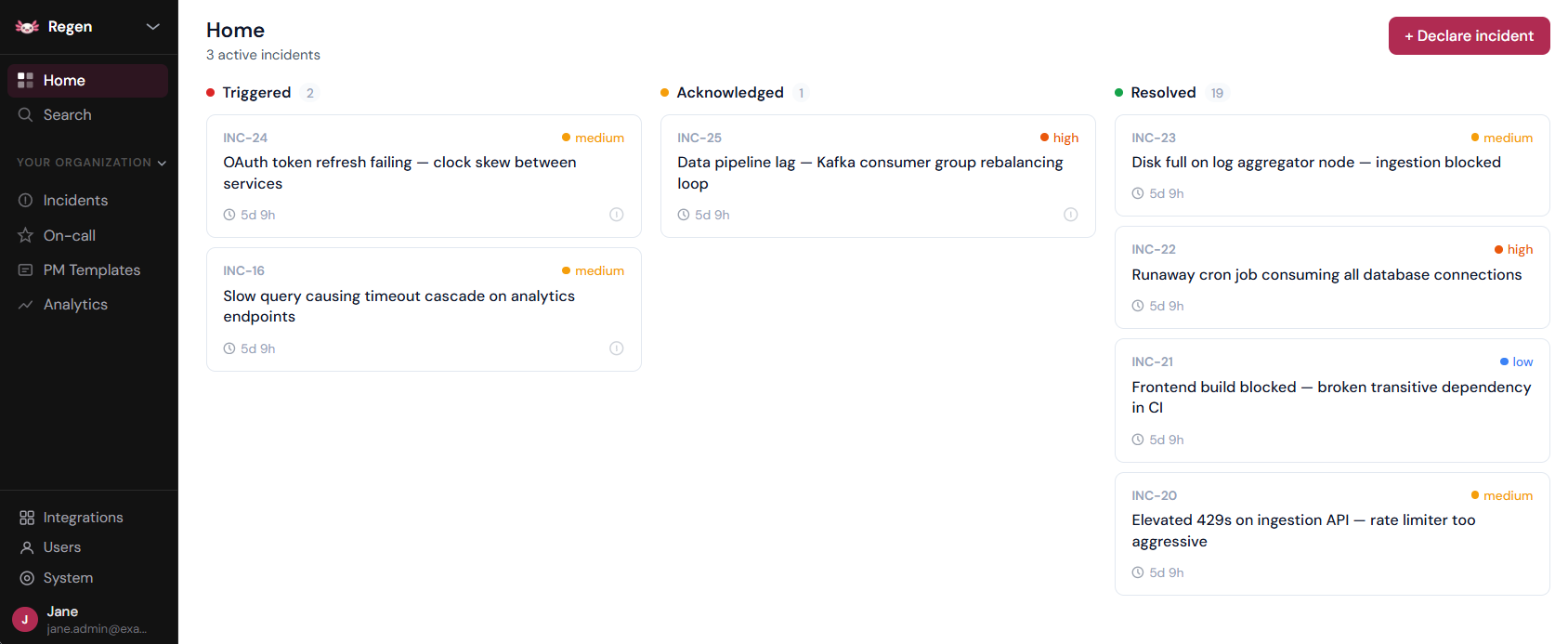
Fluidify Regen is an open-source incident management platform that combines alert routing, on-call scheduling, incident lifecycle management, and AI-generated post-mortems in a single self-hosted deployment. Where Better Stack is a hosted SaaS product that bundles monitoring with incident management, Regen is infrastructure you own — no per-user billing, no data leaving your environment, no vendor dependency.
It's a direct replacement for teams running PagerDuty or Grafana OnCall (archived March 2026) who want a production-grade alternative without the SaaS tax.
On-call and incident management
On-call scheduling supports layer-based rotations, escalation policies, overrides, and shift notifications via Slack or Teams. Incidents have a full lifecycle — triggered → acknowledged → resolved — with an immutable timeline that records every status change, Slack message, and alert link server-side. The timeline isn't editable after the fact, which matters for regulated environments and post-incident reviews.
Alerting
Regen accepts webhooks from Prometheus Alertmanager, Grafana, CloudWatch, and a generic schema for any other source. Alerts are deduplicated, grouped by configurable rules, and routed to the right on-call engineer without manual triage. No limits on alert volume — it's your infrastructure.
AI assistance (BYO key)
Incident summaries and post-mortem drafts are generated directly from the incident timeline — not reconstructed from memory. You bring your own OpenAI API key; your incident data goes to your key, not to Fluidify. The platform runs fully without AI configured — it's an accelerant, not a dependency.
Slack and Teams integration
Incidents automatically create dedicated Slack or Teams channels. Engineers can acknowledge, resolve, and add timeline notes without leaving chat. Both integrations are first-class — not webhook afterthoughts.
Strengths
- Self-hosted — incident data never leaves your infrastructure
- SSO/SAML free on the community tier, no sso.tax paywall
- Open-core AGPLv3 — full-featured community edition, no crippled free tier
- Immutable audit trail — every action is server-timestamped and append-only
- Grafana OnCall drop-in for teams stranded by the March 2026 archival
- No per-user pricing — deploy to a 500-person org for the same infrastructure cost as 10
Limitations
- No built-in synthetic monitoring or status pages — Regen sits alongside your existing observability stack (Prometheus, Grafana, Datadog) rather than replacing it
- Requires self-hosted infrastructure — not a fit for teams that want fully managed SaaS
Pricing
Free under AGPLv3 for the community tier — includes everything: alerts, incidents, on-call scheduling, Slack/Teams, SSO, and AI post-mortems. Enterprise tier adds SCIM provisioning, audit log export, RBAC, and retention policies for teams with compliance requirements.
2. xMatters
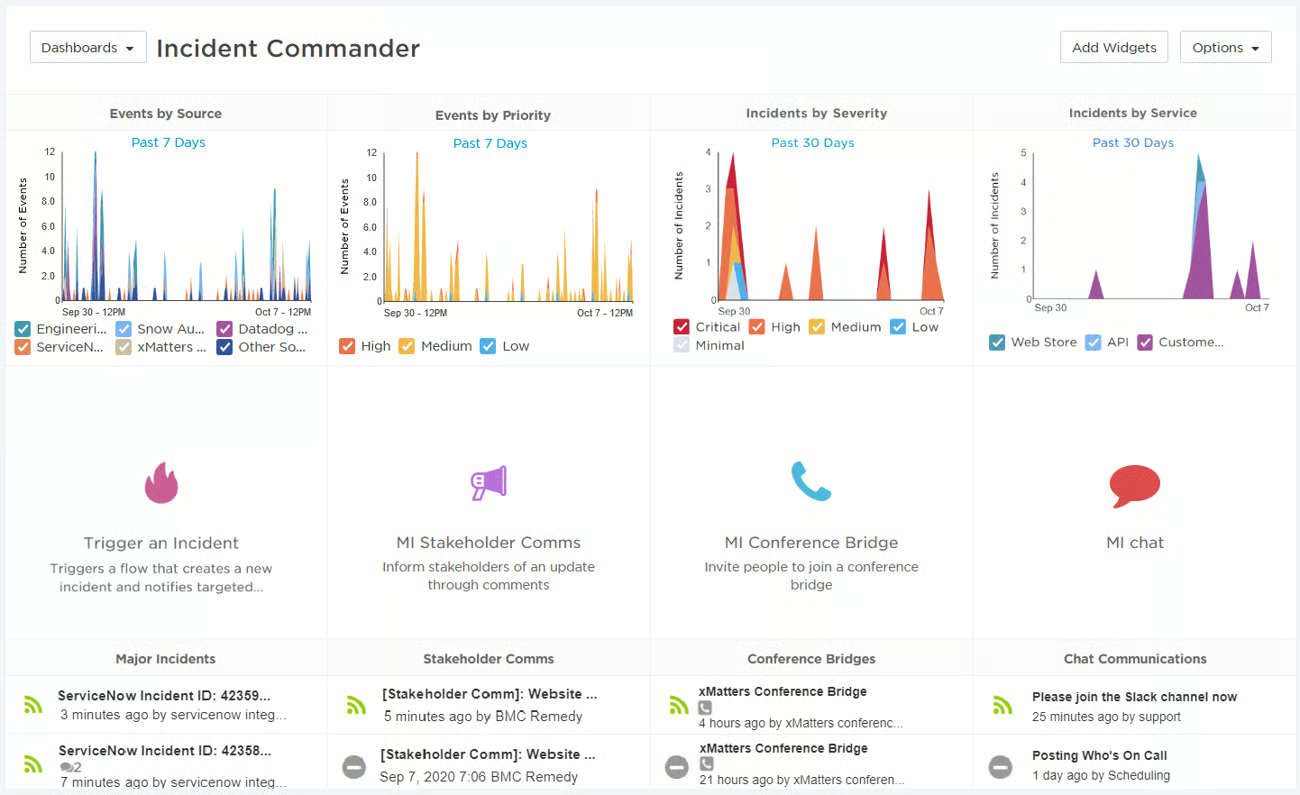
xMatters is a solid incident management platform with a particular strength in workflow automation and cross-team communication. Its on-call scheduling, team management, and incident timelines cover the fundamentals well, and its permission management features make it suitable for organizations with complex team structures.
What makes it worth considering
The free tier is genuinely functional for small teams getting started with on-call management — not a crippled demo. xMatters also offers over 200 pre-built integrations, meaning it plugs into most stacks without custom development work. Its workflow automation for incident response is more flexible than PagerDuty's at equivalent price points.
Where it falls short
Phone call notifications are not available on the free plan and are metered on lower paid tiers. Unlimited phone calls require custom enterprise pricing, which significantly raises the effective cost for teams that rely on voice alerting. Some users also note the interface feels less modern than newer competitors.
Integrations
Datadog, New Relic, Grafana, Zabbix, Prometheus, Kubernetes, Docker, Slack, Jira, ServiceNow, AWS, and many others.
Strengths
- Combines monitoring, alerting, and automated response in one platform
- Automates incident escalation based on predefined criteria
- Strong real-time collaboration tooling during active incidents
- Generous free tier for teams of up to 10 users
Limitations
- Advanced features require onboarding investment to use effectively
- Notification configuration needs careful tuning to avoid alert fatigue
- Interface is less polished than more recently designed competitors
Pricing
Four tiers available. Free tier supports up to 10 users with essential alerting and integrations. Starter plan begins at $9/user/month (up to 100 users, automated workflows, core integrations). Advanced plan starts at $39/user/month (expanded integrations, analytics, custom workflows). Enterprise plan is custom-priced with 24/7 support.
3. AlertOps
AlertOps is a full-featured incident management and IT service management platform. It covers the major functionality PagerDuty offers, and adds heartbeat (cron job) monitoring on higher-tier plans — useful for teams that need to track scheduled tasks like database backups alongside live service monitoring.
What makes it worth considering
AlertOps is built for teams that need deep customization of alerting rules, escalation workflows, and routing logic. It supports SMS, email, phone calls, push notifications, and chat notifications simultaneously, with international SMS and voice capabilities for globally distributed teams. Its routing engine can be precisely configured to direct alerts to the right team based on any combination of conditions.
Where it falls short
There is no free plan. The entry-level Standard tier is limited in meaningful ways — only three months of data retention and restricted escalation features — which tends to push teams toward higher-priced tiers to get full functionality. The platform is also not entirely self-serve; new customers are asked to schedule a demo before getting started. Advanced configuration has a learning curve, and the interface would benefit from a modernization pass.
Integrations
AWS, Datadog, Bugsnag, Datacake, Grafana, Zabbix, Slack, Jira, ServiceNow.
Strengths
- Highly customizable alerting rules, workflows, and escalation procedures
- Support for multiple simultaneous notification channels
- International SMS and voice for globally distributed on-call teams
- Compatible with Slack, Jira, ServiceNow, and most major DevOps tools
Limitations
- No free plan
- Entry-level plan is underpowered relative to the price
- Requires a demo call to get started — not self-serve
- Interface feels dated compared to newer alternatives
Pricing
Free plan for up to 5 users with basic incident management. Standard plan starts at $8/user/month with unlimited SMS and voice. Premium starts at $18/user/month with advanced automation and SSL monitoring. Enterprise starts at $28/user/month with live call routing, major incident management, and reporting.
4. Opsgenie
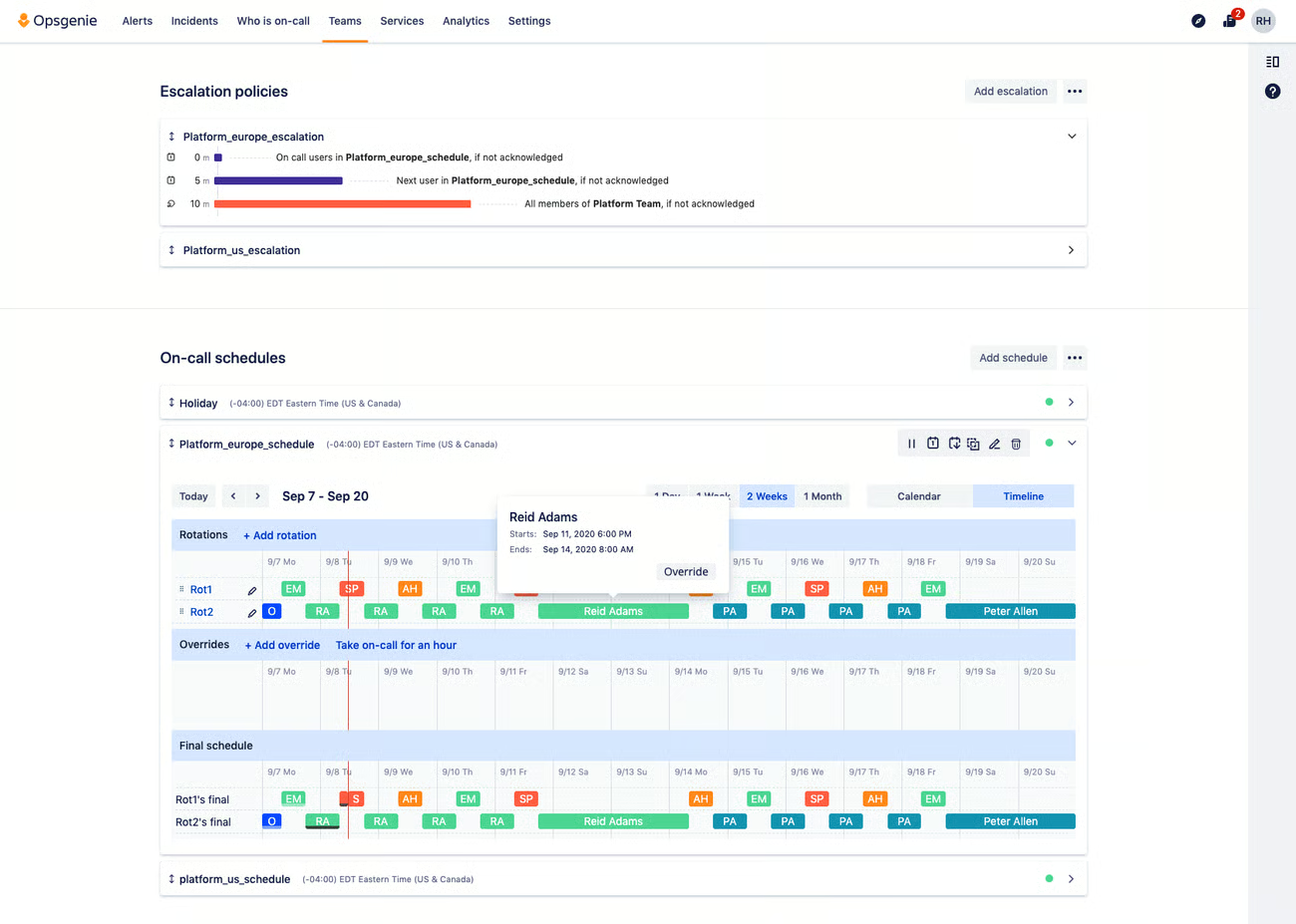
Atlassian's Opsgenie is a well-established on-call platform that shares PagerDuty's core feature set while offering a cleaner interface and a more accessible entry point. For teams already running Jira, Confluence, or other Atlassian products, the integration depth is a meaningful advantage.
What makes it worth considering
On-call scheduling is intuitive and handles complex rotation patterns well, even for larger teams. Opsgenie includes an incident investigation tool that correlates recent deployments with live incidents — a genuinely useful feature for reducing time-to-root-cause during an outage. The free plan is meaningfully generous: unlimited SMS alerts and support for up to five team members with no time limit.
Paid plan pricing is reasonable relative to PagerDuty, and includes enterprise-ready features without requiring a jump to the highest tier.
Where it falls short
Users new to incident management often find Opsgenie harder to navigate than its modern design suggests. The breadth of configuration options — while powerful — has a real learning curve for teams that haven't managed on-call tooling before.
Integrations
AWS, Datadog, Zapier, Dynatrace, Atatus, BigPanda, Jira, Slack, PagerDuty, and 200+ others.
Strengths
- Generous free plan with unlimited SMS for up to 5 users
- Clean on-call scheduling that works well at team scale
- Incident investigation tooling that correlates deployments and incidents
- Deep native integration with the Atlassian product suite
- Insight dashboards covering response times, team performance, and alert trends
Limitations
- Interface complexity can be challenging for teams new to incident management
- Advanced features require time to master
Pricing
Free plan with basic on-call and alerting. Essential plan starts at $9/user/month with custom routing rules. Standard plan starts at $19/user/month with advanced reporting. Enterprise plan starts at $29/user/month with advanced incident management and enterprise collaboration features.
5. Splunk On-Call
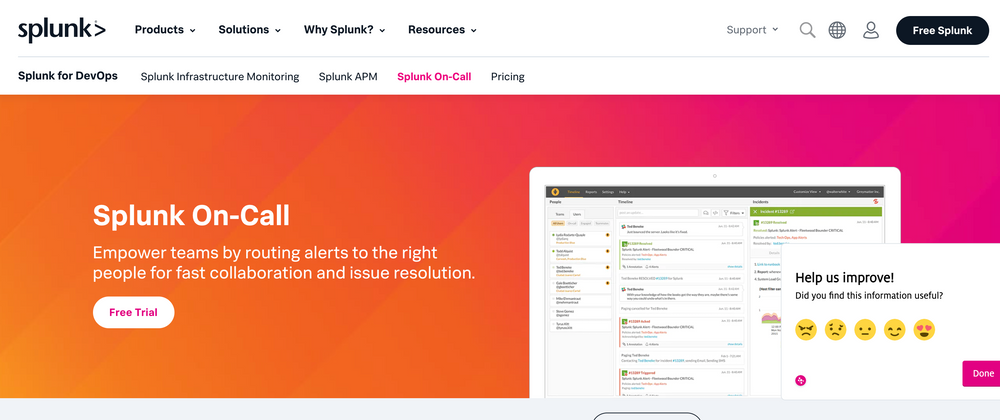
Formerly VictorOps, Splunk On-Call is an enterprise-grade incident management platform from the Splunk product family. Like PagerDuty, it is built with large organizations in mind — which means it comes with all the features that enterprise teams need and all the complexity that enterprise products typically carry.
What makes it worth considering
For teams already running Splunk for logging and observability, On-Call integrates at a depth that standalone incident management tools can't easily replicate. Incident workflows, customizable escalation paths, and multi-channel notifications (SMS, email, phone, mobile push) are all present. The platform is a solid fit for organizations that have already made a significant investment in the Splunk ecosystem and want incident management to live within the same environment.
Where it falls short
Splunk On-Call is not a good fit for teams that aren't already running Splunk or that don't need enterprise-scale functionality. There is no free plan, and the paid tier structure creates a practical problem: basic features like email and push notification limits are capped on lower plans, effectively pushing most real-world use cases toward higher-tier pricing before the platform is fully functional. Incident merging and other features that teams often consider standard are gated behind higher tiers.
Integrations
Kubernetes, Linux, Microsoft Windows, Slack, Jira, ServiceNow, and others within the Splunk ecosystem.
Strengths
- Deep native integration with Splunk's logging, monitoring, and observability stack
- Customizable incident response workflows with automated escalation
- Multi-channel notifications across SMS, email, phone, and mobile push
- Enterprise-grade controls and compliance features
Limitations
- Steep learning curve, especially for teams new to the Splunk ecosystem
- No free plan
- Lower-tier plans have notification limits that force most teams to higher pricing
- Advanced features like incident merging require enterprise tiers
- Not well-suited for smaller teams or those without existing Splunk investment
Pricing
Pricing is organized across three categories: Security ($15), Observability ($60), and Platform ($75). Within the Observability category, sub-plans include Infrastructure, App & Infrastructure, and End-to-End monitoring. Some services, such as synthetic monitoring, start at $1, allowing targeted feature adoption.
Quick decision guide
| Buy it if... | Skip it if... |
|---|---|
| Fluidify Regen — You need a self-hosted, open-source platform with no per-user pricing and full data sovereignty | You want fully managed SaaS with built-in synthetic monitoring and status pages |
| xMatters — You need collaborative incident management with strong communication tooling for a mid-sized team | You need deep analytics and multi-environment integrations |
| AlertOps — You need enterprise-level flexibility with highly customizable workflows | You want a budget-friendly or low-complexity starting point |
| Opsgenie — You want efficient alerting and scheduling, especially with existing Atlassian tools | You're unfamiliar with incident management and want the simplest possible ramp-up |
| Splunk On-Call — You require large-scale operational intelligence inside the Splunk ecosystem | You want cost-effective, lightweight monitoring without heavy analytics overhead |
Frequently asked questions
What are the best PagerDuty alternatives? Fluidify Regen, Better Stack, xMatters, AlertOps, Opsgenie, and Splunk On-Call each offer strong feature sets with distinct trade-offs across pricing, monitoring depth, workflow customization, and ecosystem integration.
Which alternative is the most cost-effective? Fluidify Regen offers the strongest combination of features per dollar, particularly for teams that currently pay separately for monitoring and alerting. Opsgenie is the most generous on the free tier.
What integrations do these tools support? All five tools support major platforms including Datadog, AWS, Grafana, Slack, and Jira. Better Stack and xMatters have the broadest integration ecosystems. AlertOps, Opsgenie, and Splunk each have deep integrations within specific niches (ITSM, Atlassian, and the Splunk ecosystem respectively).
Are there free plans available? Fluidify Regen, xMatters, and Opsgenie all offer functional free tiers. AlertOps has a limited free plan. Splunk On-Call has no free tier.
Which is the most user-friendly? Fluidify Regen and Opsgenie consistently receive the highest marks for ease of use. xMatters is accessible on the basics but has more complexity in advanced configuration. AlertOps and Splunk On-Call have the steepest learning curves.